第一題:GET aHEAD — Description
Find the flag being held on this server to get ahead of the competition
我的作法
我用 Burp Suite 截取網站請求,分別點了網站上的兩個按鈕觀察 POST 請求。把其中的:
POST /index.php HTTP/1.1
改成:
HEAD /index.php HTTP/1.1
改送之後,回應(HTTP/1.1 200 OK)裡就直接包含了 flag 與 Content-type 資訊。
取得到的內容
HTTP/1.1 200 OK
flag: picoCTF{r3j3ct_th3_du4l1ty_82880908}
Content-type: text/html; charset=UTF-8
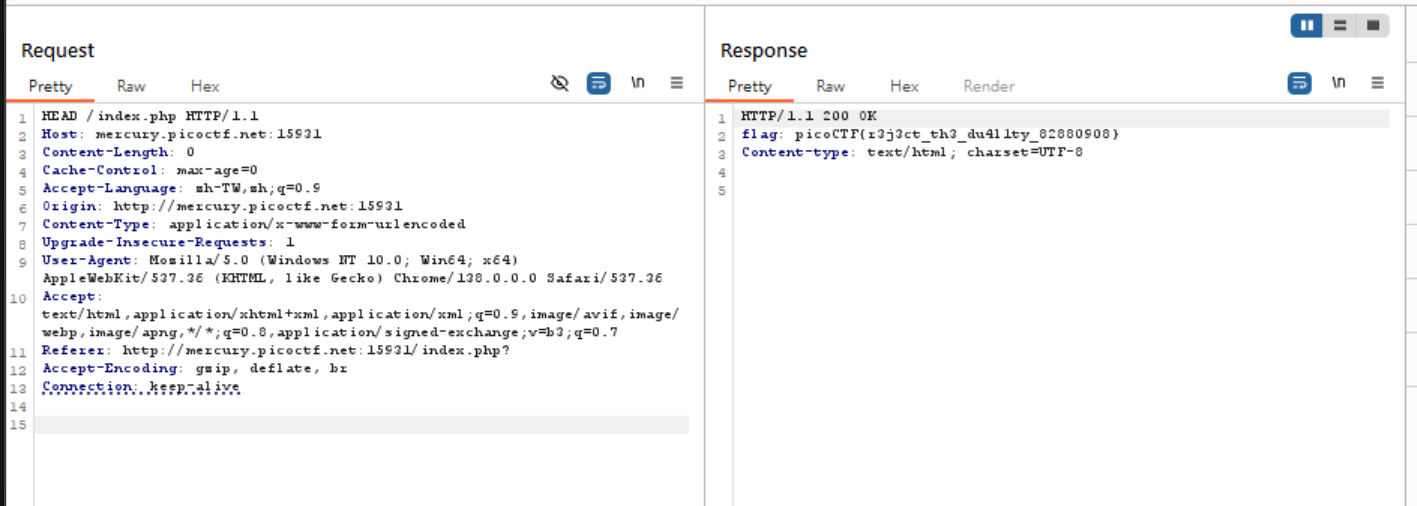
把 POST 改成 HEAD 來看回應;有些題目會把敏感資訊放在標頭或回應中,直接露出 flag。
第二題:Cookies — Description
Who doesn’t love cookies? Try to figure out the best one.
我的作法
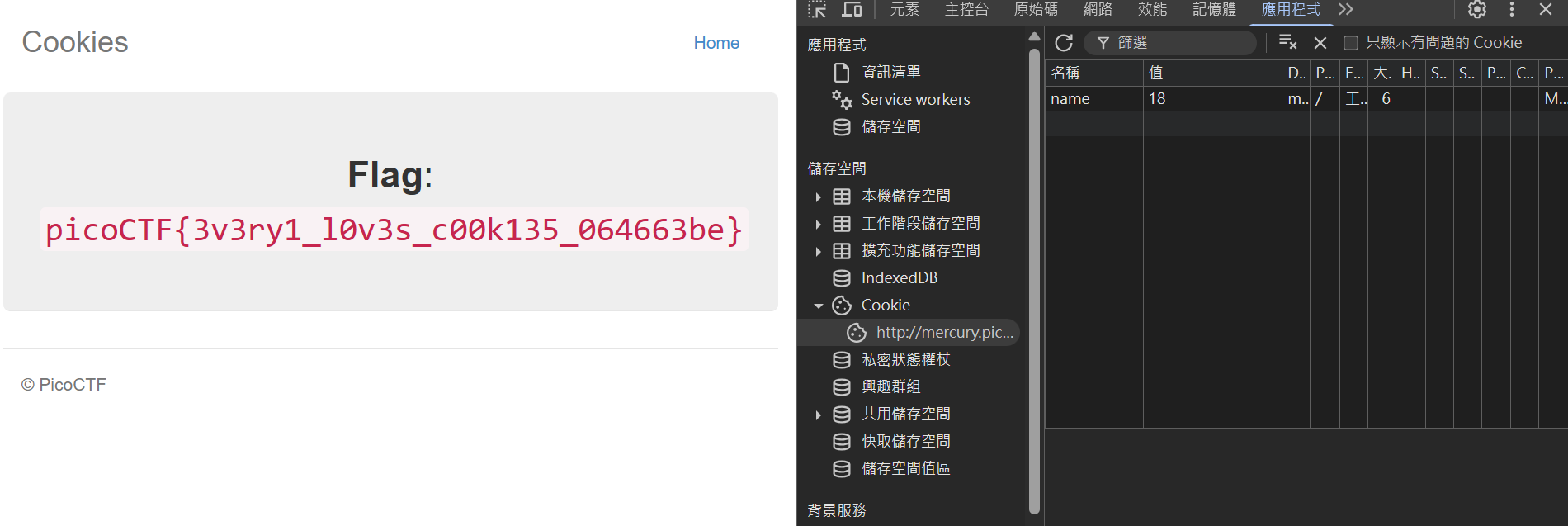
這題是盲測 Cookie。我打開瀏覽器 F12 → Application → Cookies,看到 name 的 value 一開始是 0。我就從 0 一直測到 17,頁面會顯示不同的 Cookie 名稱;當數值測到 18 的時候,頁面就顯示出 Flag。
第三題:Inspect HTML — Description
Can you get the flag?
我的作法
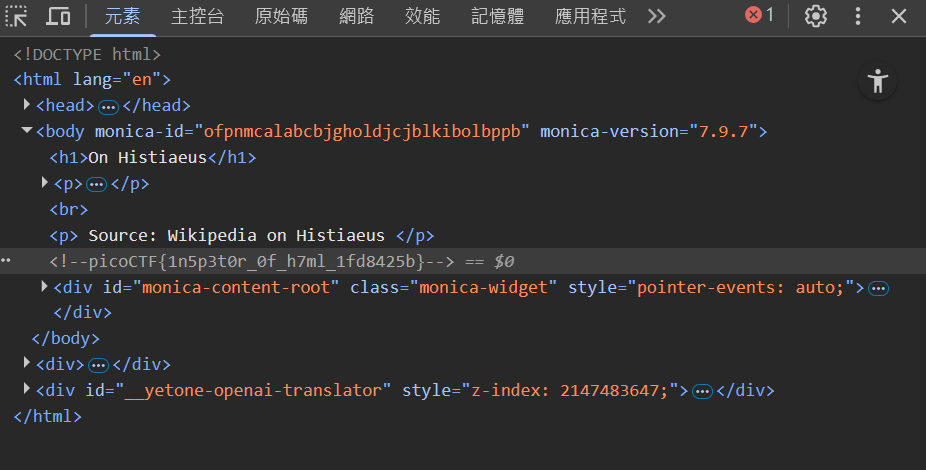
我直接按 F12 檢查元素,在 HTML 原始碼裡找到這一行註解,這就是我要的 flag:
| |
第四題:Bookmarklet — Description
Why search for the flag when I can make a bookmarklet to print it for me?
Browse here, and find the flag!
我的作法
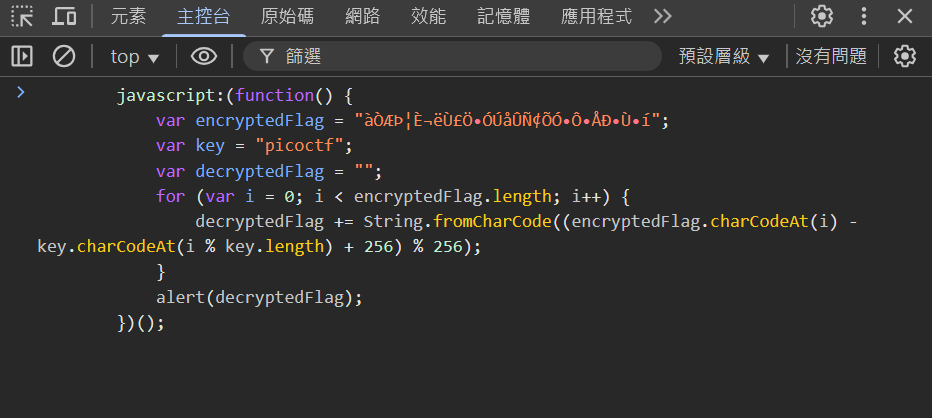
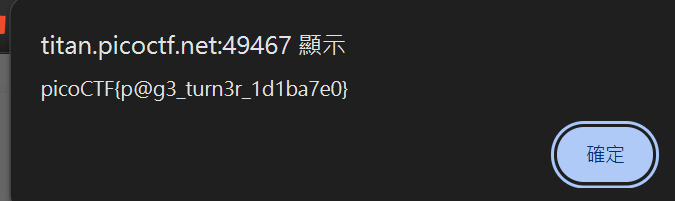
把題目給的 bookmarklet JavaScript 複製到 F12 的 Console 直接執行,就會 alert() 出 flag。基本形式像這樣(題目實際提供的代碼直接貼上跑就可以):
| |
第五題 — Description
Do you know how to use the web inspector?
Start searching here to find the flag
我的作法
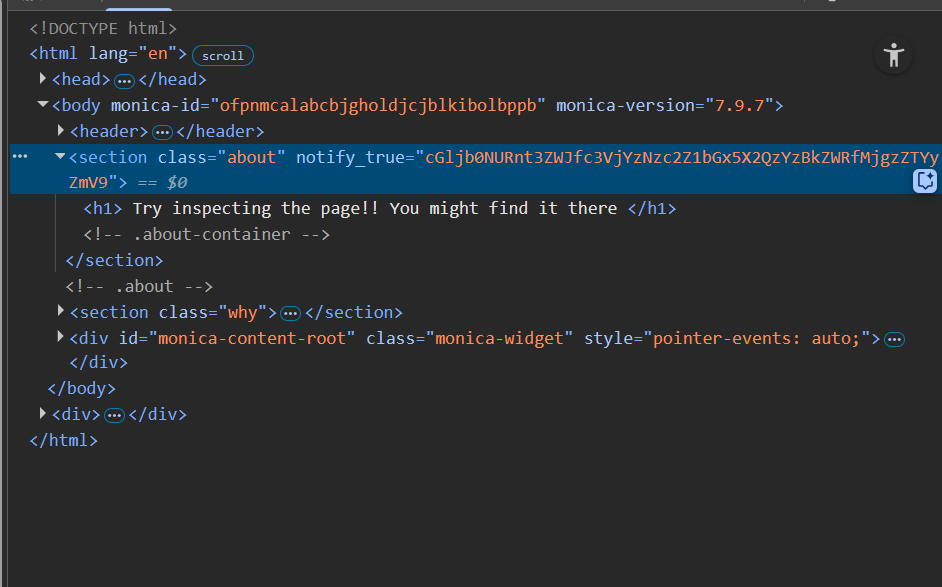
我進 F12 看 HTML,從 DOM 的 root 一個一個展開,最後在 class="about" 的地方看到一串字串:
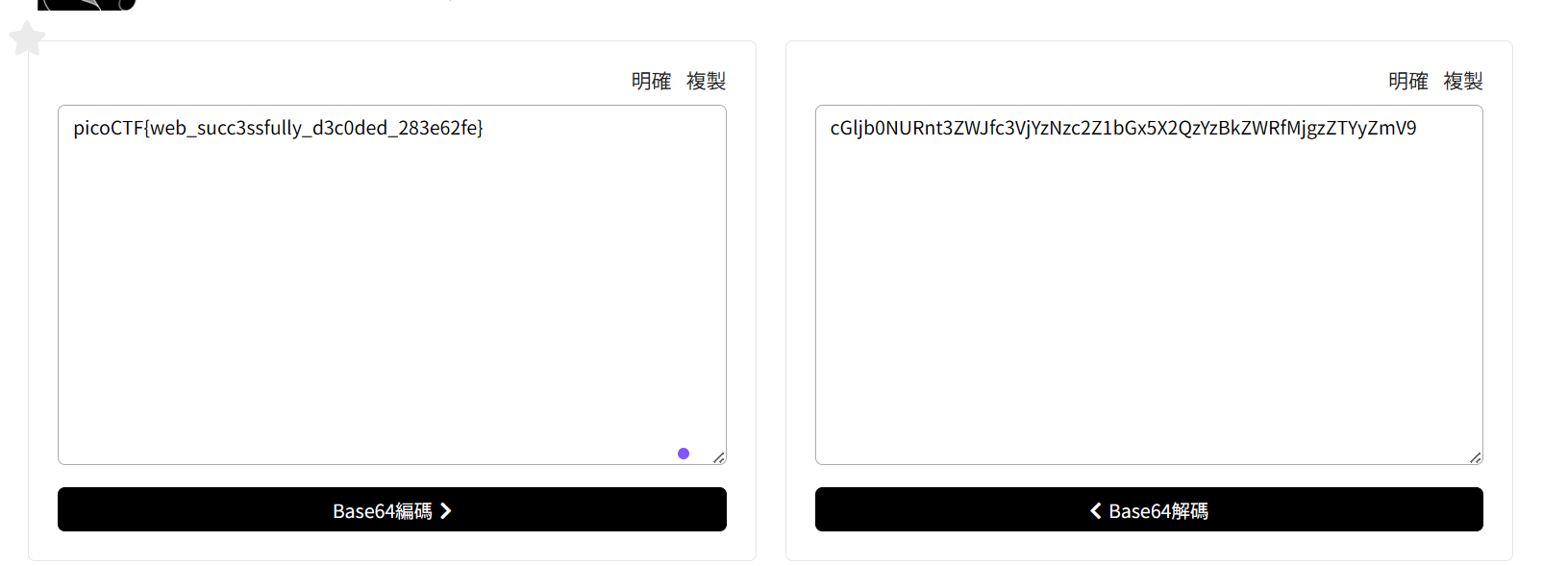
cGljb0NURnt3ZWJfc3VjYzNzc2Z1bGx5X2QzYzBkZWRfMjgzZTYyZmV9
這讓我想到下午學到的編碼,於是用 Base64 解碼,就成功得到 flag。
Linux 基礎操作挑戰(challenge-1 ~ 6)
下面維持我原本的操作方式,補上指令區塊與一句話說明。
challenge-1
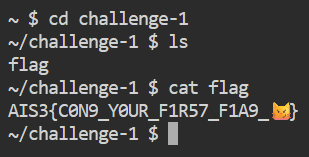
看到目錄裡有 flag 檔,直接讀:
| |
challenge-2
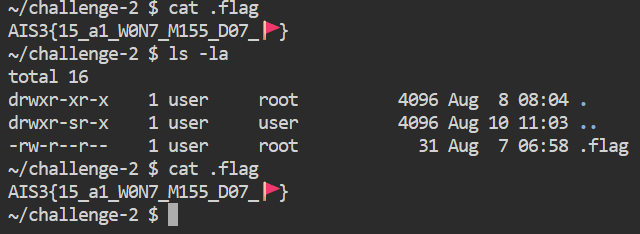
一開始 ls 沒東西,用 ls -la 才看到隱藏檔 .flag,讀它:
| |
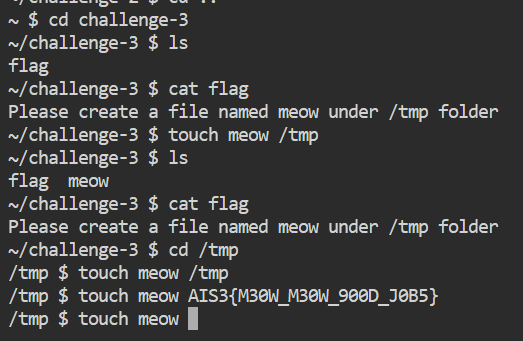
challenge-3
cat flag 提示要在 /tmp 建一個 meow 檔。我就去建:
| |
challenge-4
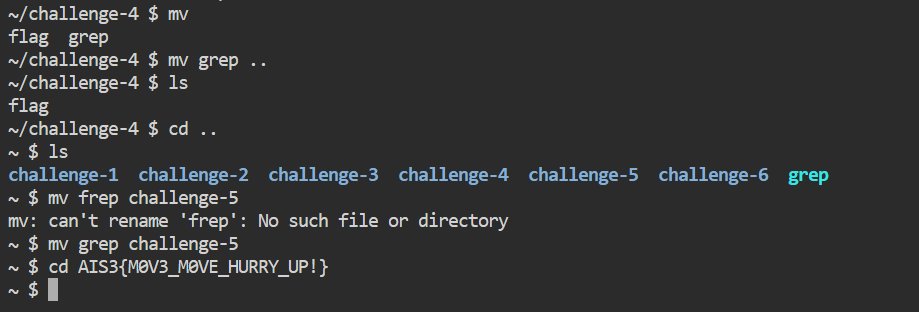
提示要把 grep 移動到 ~/challenge-5/:
| |
challenge-5
把 challenge-4 裡面的 grep 移到 challenge-5,一行就好:
| |
(我原本是先 mv grep .. 再 mv grep challenge-5,合併成上面這行更直接。)
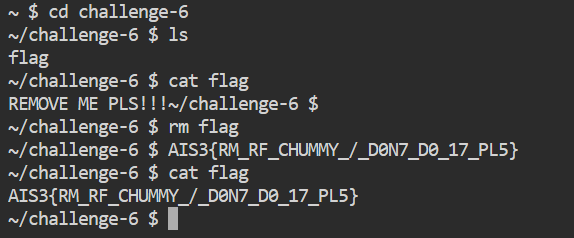
challenge-6
題目提示要 remove flag,照做之後題目就回傳 flag(不用再 cat):
| |
收穫小結(維持原本解題方向)
- 善用瀏覽器
F12(Elements / Application / Console)就能快速發現線索。 - HTTP 方法切換(如
HEAD)有時會直接露出敏感資訊。 - Base64 這種常見編碼要熟悉,看到可疑長字串就試試。
- Linux 基礎指令(
ls -la,cat,mv,rm,touch)是看起來是 CTF 必備肌肉記憶。